
Hi, how can we help you?
Getting started with DISH
For more details or step-by-step instructions on using your DISH Pay Now, click here.
The duration of the delivery process depends on the choices made along the way. If you are only using DISH Table Reservation, you can get started within a week. For a POS system or Order Kiosk, hardware and specific configuration are required, which takes more time. If you want to know how long it will take for the solutions you need to be ready for use, it’s best to get in touch.
If you purchased DISH Order or DISH Reservation through Makro, support is not handled by DISH Belgium but by Makro itself. For assistance, you can visit: https://www.dish.co/BE/en/.
The price you pay depends on which solutions you choose and in what quantity. We use a pay-per-use model, so you only pay for the software and the number of licenses you actually use. We also offer flexibility for temporarily deactivating licenses, which is ideal for seasonal businesses. Want to know more about the costs? For a specific estimate, it’s best to contact us directly.
DISH software is built in a modular way, allowing a tailored solution to be set up. Only the solutions you use are charged, even if it’s just one. Because of the flexibility of our platform, it is very suitable for small business owners. Our experts assist with appropriate advice and optimal setup of your workflow.
The added value of DISH is flexibility. Do you start with just a POS system or an ordering site but later want to add a self-service kiosk or pickup screen? No problem. All DISH solutions integrate with each other. You determine the ideal workflow, step by step.
Table Reservation
Your guests are increasingly online. That’s why you should choose DISH Table Reservation, so your guests can book quickly via Google, your website, or your social media. Encourage extra bookings with attractive packages in your reservation calendar and reduce no-shows with convenient reminder emails or SMS messages. With all your reservations in one clear overview, you stay in control and can easily manage optimal table occupancy. DISH Table Reservation is also commission-free, so you never pay per cover and can receive unlimited reservations.
No, we believe a professional reservation system should never be managed by a commercial booking site. For using DISH Table Reservation, you pay a fixed monthly fee. And never any commission! There are no hidden costs based on revenue or the number of reservations, unlike competitors. In this, DISH Table Reservation is unique in the market. Take control yourself and receive unlimited reservations with peace of mind.
With DISH Table Reservation, you don’t need complicated hardware. The reservation system works through an app on your tablet or smartphone, or via the browser on your laptop.
To get started, you need to create a table layout. The table layout is essentially a copy of your restaurant. If the restaurant is divided into areas such as the main dining room, conservatory, and terrace, you create a tab for each area. Then you can add the number of tables in that area and assign table numbers. You can also organize tables into different sections.
'Reserve with Google' is a service from the search engine giant that allows guests to book a table directly from search results and Google Maps. Thanks to our integration, your reservation calendar is connected. Reservations made through Google, just like those from your own website or Facebook, are immediately visible in your reservation system. You get a single overview of all reservations and the time slots still available in your restaurant.
There are various standard email messages in the system that can be sent manually or automatically. The layout, text, and preferences can be customized as desired. If you want to confirm a table reservation for your guests or, for example, send a review reminder via SMS, you can purchase SMS bundles from us for this purpose.
By searching for a name or phone number, you can rebook a previously booked guest. Through the app, you can copy this guest and schedule them for the desired date.
In the weekdays tab, you can indicate if there is a specific regular closing day, a holiday closure, a public holiday, or a private event that prevents reservations for the general public. Is the restaurant closed for a specific time period, for example from 6:30 PM to 8:30 PM? You can easily set this in the weekdays tab in the app as well.
The management dashboard in the Backoffice provides you with real-time sales figures so you can see how your business is performing. You also get free access to DISH BI Basic, our Business Intelligence tool. With charts, bar graphs, and trend lines, you can manage your business based on the data.
DISH Table Reservation has an integration with the leading online restaurant guide in the Netherlands, Bookdinners. If you are registered and have a subscription with Bookdinners, we can provide a token that enables the connection between DISH Table Reservation and your Bookdinners profile. This allows guests to check your availability and make reservations directly. DISH Table Reservation also integrates with Heerlijk.nl, SocialDeal, and DiningCity.
POS system
Take orders quickly and accurately, split bills in seconds, easily adjust prices, and above all, always have 24/7 real-time insights into your sales figures: DISH POS system is the most flexible and user-friendly POS on the market! Work with a fixed POS, your own smartphone, or a professional handheld device? You decide. The operating system is your choice too: iOS, Android, or Windows. Choose software that adapts to your business, not the other way around. DISH is highly accessible both in terms of price and software, so you’ll feel right at home.
To ensure you can always continue working, DISH provides the perfect cloud-based platform with a local mini server as a backup.
The POS software from DISH is hardware-independent and multifunctional. This means you’re not tied to a fixed cash register or a single type of handheld device. You can customize your DISH POS setup with a variety of devices. Thanks to the DISH app, any device can be turned into a cash register, regardless of the operating system. You can choose to work with iOS, Android, or Windows devices, or a mix of them, of course. DISH software is compatible with smartphones, tablets, laptops, and PCs.
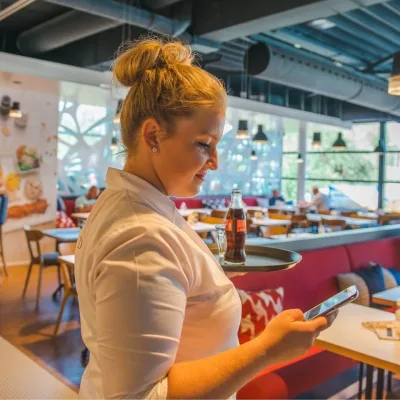
Working in hospitality can be compared to top-level sports. It demands a lot from your staff and your POS system. A good handheld device is essential to take orders directly at the table and ensure fast processing. It also helps avoid peak-time bottlenecks since you don’t have to walk back to the fixed POS and can enter multiple orders at the same time. The DISH POS app can be easily installed on various devices. You can choose to work with your own smartphones or professional handhelds. Smart features make it easy for you and your staff. You can see which items are selling fast, quickly make changes to orders, and gain insights into production and real-time inventory.
The setup of our Entry-Level POS is sent as a complete package. You receive a box containing the modern touchscreen POS with an integrated receipt printer, the accompanying server, and the necessary cables.
In the DISH Backoffice, the management environment of your POS system, you can configure all settings to your preference. Here, you can, for example, define your product range, create tables, manage multiple locations, or set up choice menus. Not sure how to make a specific change? The tutorial environment, DISH Tutorials, explains how it works with over 150 videos.
The management dashboard in the Backoffice provides you with real-time sales figures so you can see how your business is performing. You also get free access to DISH BI Basic, our Business Intelligence tool. With charts, bar graphs, and trend lines, you can manage your business based on the data.
The combination of software, data, and especially the human aspect ensures that the POS system offers maximum user-friendliness for staff. With tapping, swiping, and long-press shortcuts, it works just like a smartphone. That’s why no training is needed, and anyone can start using the intuitive POS system immediately. Additionally, each employee can personalize their own menu structure and top-selling items, making it even more convenient to work.
With DISH, you can seamlessly switch from your fixed POS to a tablet, smartphone, or handheld. Sales data is updated in real time. If you’re taking an order on your smartphone and the battery runs out, you can log in with the same account on a tablet and continue taking the order right where you left off.
We also provide essential peripherals such as card readers, printers, cash drawers, mounting systems, and Wi-Fi! We assist you with all the peripherals you need, because these also affect the speed of service. Start off right with a complete set or supplement your existing setup.
DISH is a complete platform that can be seamlessly connected to external applications. Through APIs (Application Programming Interfaces), data is automatically synchronized. For example, product information can be automatically imported into the backoffice, or we can connect to PMS or ERP systems.
Updates are necessary to keep the system up-to-date and secure. Fortunately, you don’t need to perform updates yourself. We take care of them for you. After each update, we inform you about the new features you can use.
Yes, you can! With the help of our Service Desk, you can have your company logo added to the receipts printed from the receipt printer. You can reach them at helpdesk@eijsink.nl. In your email, include the machine numbers of the printers and attach your logo in .jpg format.
For a monthly usage fee of €45 and a one-time purchase price of €595, you receive: access to the POS and back office with reports, free updates for new features, access to tutorial videos, and support assistance.
The Entry-Level POS is a ready-to-use POS system in a fixed setup. This makes it suitable for starting or small business owners with one sales point or a simple menu. If you want to take orders with mobile POS devices, the Entry-Level POS is not suitable, and we recommend choosing the regular DISH POS system.
QR Ordering
With QR Ordering, you place QR code cards on the tables. Guests scan the code with their smartphone, and their order automatically appears on your ordering site, already linked to the table number. There’s no need to install an app, navigate to a web version, or log in. Guests select their order and pay immediately, without staff involvement, after which the order is sent to the kitchen and/or bar. It can then be served at the table or picked up at the takeaway counter. Simple and efficient—exactly what your guests are looking for!
The possibilities for QR ordering are endless. You decide where and when to use QR ordering: terrace, theater, snack bar, hotel room, beach pavilion, or ice cream parlor. So even in places where staffing used to be challenging, because with self-service you don’t need a staff member!
QR ordering basically works with an ordering website. The management system is the Backoffice. You create the QR codes for tables directly in the Backoffice! You choose the items for your digital menu, centrally update prices, and set up promotions. The QR codes can be placed on tables or in rooms using stickers, signs, or clipboards. Answers to questions about item management, multilingual options, allergen filtering, and discount codes can be found under Ordering Websites and also apply to QR ordering.
QR ordering makes it as easy as possible for the guest. You can choose from all common national and international payment methods, such as iDEAL, credit card, pay on delivery/pickup or charge to the table/room, Apple Pay, Payconiq, and more.
DISH QR Ordering naturally integrates with the DISH POS system, and it also works with Vectron and Winsale.
Order Kiosk
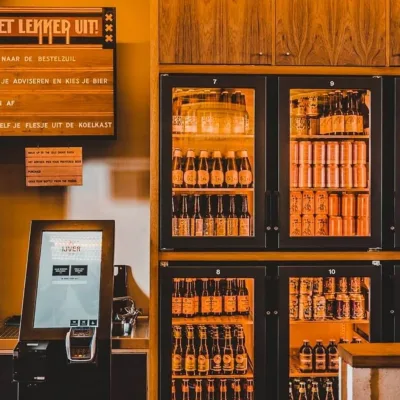
An order kiosk is a kiosk with an integrated ordering website that allows customers to place orders. With just a few clicks and the help of smart upselling, they choose their meal or products. Customers can pay immediately by card. After payment, the guest receives a receipt with an order number, which also appears on the kitchen printer/screens and the pickup screen. When the order is ready, the guest sees it on this screen and can collect it at the counter. With order kiosks, you increase revenue and throughput.
The basis for your order kiosk is your ordering website. Maintenance is no issue. Changing text, adding photos, or adjusting prices can be done in just a few clicks in the management system. Answers to questions about item management, multilingual options, allergen filtering, and discount codes can be found under Ordering Websites and also apply to your order kiosk. If your POS system is connected to your ordering website and you adjust prices there, they automatically update on the order kiosk as well.
Order kiosks come in various shapes and sizes: a fully standalone kiosk, a wall-mounted model, single or double units, or a table- and counter-mounted version. You decide how your self-service point looks and how you use it. Maybe it’s your only POS, allowing guests to place and pick up orders independently. Perhaps the kiosk is an additional option alongside staffed POS systems to relieve peak hours. Or maybe only part of your menu is available via the kiosk - drinks, for example - so guests can quickly serve themselves without waiting in line. The choice is yours!
The DISH Order Kiosks naturally integrate with the DISH POS system and additionally with Vectron and Winsale.
Ordering Website
Your DISH Ordering Website is your own professional webshop where customers can order food and drinks directly for pickup or delivery. You don’t pay any commission or percentages on orders, unlike many other ordering platforms! Your website is fully responsive and highly versatile, allowing you to quickly create a new revenue stream. You control your digital menu, opening hours, delivery area, and discounts. Everything you need is just a few clicks away.
You manage all settings and item management through the administration environment of the ordering website, which is accessible via your browser. Changing your product range or adding photos, for example, can be done in just a few clicks thanks to its user-friendly design. Anyone can use it.
Do you want your ordering website available in English, French, or German? No problem! You can enter the desired translations in the administration environment.
Yes, of course! In the management environment of your ordering website, you can enable the tip option or generate discount codes to promote your items or menus.
Yes, you can log in to the management system via a tablet or smartphone using a browser. Keep in mind that not all functionalities are available on mobile.
Yes, it’s possible to create choice menus. You can also attach specific tags to items, making it clear to customers whether a dish is suitable for someone with a gluten allergy, is vegan, or contains alcohol.
Gaining insight into results is important for driving success. All you need to do is enter your Google Analytics UA code or Tag Manager ID in the management system, and then you can track your results in Analytics. You do this under Configuration > Website Settings > Statistics.
It is possible to set how many orders can be handled per time slot. This helps prevent peak-time congestion and ensures that orders are more evenly distributed.
By linking items to time windows, you can set, for example, that lunch dishes are available from 11:00 AM to 3:00 PM.
Are you starting with an ordering website and looking for a reliable partner to handle payments for you? Thanks to our strong connections, we can offer very competitive rates, and the integration is quick and easy. If you want to integrate your current payment provider, please contact us to discuss the options.
Automatically posting orders in your accounting system is easy with an available integration. For example, there’s a connection with Exact Online. If you use a different accounting package, it’s best to contact us to discuss the available options.
With our DISH Platform, you have an overview of all orders. Orders placed through the ordering website are registered in your DISH POS just like phone orders and in-person orders at your location. If you use digital kitchen screens, orders are sent in the sequence of delivery or pickup time.
Our server is located in the Netherlands and uses the latest cloud technologies, also used by other major national companies for websites and apps. High standards apply for speed, security, and stability. The chance of downtime is minimal, and any issues with the primary server are automatically handled by a backup server.
Your DISH Ordering Website naturally integrates with the DISH POS system, and it also works with Vectron and Winsale.
QR Payment
Scan to pay! This latest payment innovation allows guests to pay via the QR code on the receipt whenever they want. No more waiting for a staff member! This eliminates one of the biggest annoyances in hospitality. It also reduces steps for your team, enabling you to accomplish more with fewer people.
The host or hostess takes the first order, which is then served. The guests also receive a receipt with a unique QR code linked to the open order. Any additional orders are added to this unique QR code through the host.
When your guest decides to pay, they scan the QR code, review the bill on their mobile phone, and pay online using, for example, iDEAL or a credit card. There is, of course, an option to add a tip. Once the payment is completed, the QR code is no longer valid. The next guests at the same table will receive a new, unique QR code.
With DISH QR ordering, you first scan the QR code on the table. You select and place your order yourself via the ordering website linked to the QR code. You then complete the order by making an online payment.
With DISH QR payment, you place your order with a host or hostess. Afterwards, you complete the order by making an online payment via the QR code.
Bar/Kitchen Manager
The concept of DISH Bar/Kitchen Manager originated from the desire to improve work processes in the kitchen or bar. The result is more job satisfaction, greater focus, and more efficient working. Clear, flat, and moisture-resistant touchscreens ensure optimal order processing and increased profitability. All orders automatically appear as digital tickets on the correct work screens, making the shifting of paper tickets a thing of the past. The chef or bartender starts or completes orders with a simple tap. Changes per table are clearly visible to your kitchen brigade through warning icons. The front-of-house and back-of-house teams work together optimally.
All orders entered via the POS, handheld, QR code, ordering website, or order kiosk automatically appear as digital tickets on the correct work screens for different stations. In advance and together with you, workflows are described and programmed to determine the layout, structure, and order of the tickets. This allows dishes to be handled individually, registered per table, and orders to be combined if necessary.
The same functionality applies to the Bar Manager: all orders appear as digital tickets on the dedicated touchscreens in the bar. Drinks always appear in preparation order and are organized into categories on the screen. Smart features such as color coding per table or merging tickets ensure that staff can prepare orders easily and quickly.
You have full control over where to place a touchscreen: bar, prep stations, sandwiches, meat, fish, fryer, pastry, desserts, and more. We offer specialized versions for restaurants, fast service, shared dining, and the 3P’s (pizza, pasta, and pancakes). A service screen for staff is also possible, allowing them to track which dishes are being prepared and when they can be served. Alternatively, let your guests pick up their orders themselves at a pickup screen. When the chef marks an order as ready, it appears on the pickup screen.
Would a guest like to order extra fries or perhaps some extra sauce? With our Kitchen Manager, this is arranged in no time. Such side dishes are entered by the service staff and appear as a push notification on the touchscreen in the kitchen. The VIP notification moves the ticket to the top of the screen so it can be handled immediately. This ensures your extra side dishes are never served too late.
Especially for the fast-service industry, the Kitchen Manager is a valuable addition. You can perfectly time the preparation of dishes in your snack bar, cafeteria, or takeout restaurant. Whether they are ordered on-site or for home delivery or pickup. Orders for various fried snacks and sandwiches can be easily combined, so you only need one action from the fridge and can make optimal use of the fryer. Once preparation is complete, products can be quickly and easily packaged in the correct way. With clear icons, each order shows whether it will be eaten on-site, taken away, or delivered. Read more about the Kitchen Manager for fast-service here.
The following data is displayed on the Kitchen Manager screens: table, ticket receipt time, preparation time, number of covers, dishes to be prepared, preparation method, and supplements. On the Bar Manager, the data shown includes: table, ticket receipt time, section, number of covers, drinks to be prepared and served, and preparation order.
No need to worry about greasy fingers: the touchscreens are easy to clean. The clear, flat, moisture-resistant touchscreen also meets all hygiene regulations.
The DISH Bar/Kitchen Manager can, of course, be connected to the DISH POS system, as well as Vectron and Winsale.
Staff Planner
If your staff scheduling feels like an endless project and you’d rather spend that time on your business, your guests, and your employees, DISH Staff Planner is the solution. Thanks to the user-friendly drag-and-drop system, you can easily place employees in the right spots on the schedule based on availability, skills, contract hours, or budgets calculated from sales forecasts, weather predictions, and upcoming events. Open shifts can be quickly communicated to your team via the app. With strategic insight into hours and costs, you can plan efficiently while keeping control of your expenses.
You don’t need complicated hardware for the DISH Staff Planner. The Staff Planner app works on a laptop, tablet, or smartphone. The convenient dashboard is equally clear on any device thanks to the easy-to-read performance metrics. Employees can also view the schedule and submit their availability through the app. The app runs on any recent phone (from 2017) with at least iOS 11 or Android 5.0. The oldest Apple phones we support are the iPhone SE and 5s. For the most popular Android phones, the Samsung Galaxy S5 is the oldest model we support.
Once your schedule is ready, you can share it with your employees with just one click through the Staff Planner app. All scheduled employees receive a push notification on their phone, so everyone knows when they need to work.
Do you work at a company that uses DISH Staff Planner and want to log in to your Staff Planner account? You can log in to DISH Staff Planner via the unique link created for your organization, using your personal login credentials. If you have lost this login URL or your login details, contact your direct supervisor.
It is possible to link your private calendar to the DISH Staff Planner app, so that calendar items are displayed on the “My Schedule” page. For this, see the settings page in the app. Important note: the calendar items can only be viewed in the app, not on the website, and they are not visible to employers.
Scheduled shifts will not appear in the private calendar; delays could lead to miscommunication. The most up-to-date schedule is always available in the DISH Staff Planner app.
In the permissions section, you can assign rights to an employee. Examples include creating newsletters, managing leave, or administering the employee portal. Multiple rights can be assigned to specific departments or roles, so an administrator may only be able to create schedules or record hours for their own department, for example.
With the time tracking clock, your employees can clock in and out themselves. Employees register once using a card or tag, public transport card, or bank card. When scanned, the system recognizes the employee. Each employee has a unique login, so the system cannot be misused. Safe and fast!
The security of your data (and that of your employees) is of the highest importance to us. We are constantly working to secure and improve our processes. The DISH Staff Planner is certified according to the latest international standards for data security and quality management; we hold, among others, ISO 27001:2013 and ISO 9001:2015 certifications. Furthermore, our time-tracking clock with fingerprint scan does not store actual fingerprints; it converts only certain features into a numeric code from which a fingerprint can never be reconstructed.
As GDPR regulations are increasingly strictly enforced and case law regarding the use of fingerprint scans develops, we now recommend using a card or tag for clocking in and out of shifts.
In addition to basic information (name, email address, and phone number) and a photo, the employee file shows when an employee last logged into the Staff Planner. You can also upload documents, view an overview of hours, and see their availability and shifts. Additionally, you can record sick leave and vacation hours.
The dashboard provides a quick overview of your revenue, staff costs, and staff ratio. Actual staff costs are based on approved hours. The staff ratio is calculated from revenue and staff costs. If you have a real-time POS integration, you have access to the daily view, where you can see revenue and staff spending per hour. If you don’t have a POS integration, you can use the weekly and monthly views.
If you’re looking to integrate with your personnel and payroll administration, numerous connections are possible with Staff Planner. Examples include payroll packages such as AFAS, ADP, Nmbrs, and Loket. When using DISH POS system, it’s possible to compare staff costs against the revenue from your POS system. There is also an integration with DISH Table Reservation, which makes reservations visible in your schedule, allowing for even more efficient planning. If you use a different package, it’s best to contact us to discuss the possibilities for your specific needs.
BI
With DISH BI, you get more out of your data. This business intelligence tool seamlessly combines data from various sources, including your POS system, into dynamic dashboards with clear visualizations. Available 24/7, it allows you to turn insights into action and manage profitability. You can zoom in on variables, filter results by product groups or employees, and analyze trend lines. This enables you to operate more efficiently, grow faster, and increase revenue! DISH BI Basic is included as standard with the DISH POS system and can also be upgraded to Basic+
Each dashboard has the same logical structure. The top three tiles provide information about periods, while the second row covers locations. The third row displays tiles about product groups, and the fourth row focuses on employee performance. Under “Periods,” you gain insight into revenue over specific periods, such as per month, per day of the week, and revenue broken down by hour and day. Under “Locations,” all branches and sales points are shown, whether it’s a single branch or multiple locations. Under “Product Groups,” you can see revenue and the number of products sold by sales group, product group, and specific products. And under “Employees,” you can view employee performance in terms of sales, showing in one overview how much revenue each person generates.
By default, you get the first three months of Basis+ free to give your data a kickstart. You can track average spending per day (or part of a day), improve employee performance, and view results per sales point or period. With nine dashboards and drill-downs on key metrics, Basis+ makes it easy to steer your business. BI Basic remains free as long as you use the DISH POS system. It includes two dashboards with valuable information that help you manage your business based on revenue, sold items, and payment methods, so you always stay in control.
Is your question not listed? Feel free to contact us